FonPrompt - the Remote Control for PowerPoint Slideshows in your Android PhoneThis App needs a Windows Software installed on a Windows Computer having
 Version
2.6.1
Version
2.6.1
 Package Name
de.thomaslankes.fonprompt
Package Name
de.thomaslankes.fonprompt
 Category
Business Office
Category
Business Office
 Size
482.81KB
Size
482.81KB
 Release Time
February 10, 2026
Release Time
February 10, 2026
FonPrompt - the Remote Control for PowerPoint Slideshows in your Android Phone
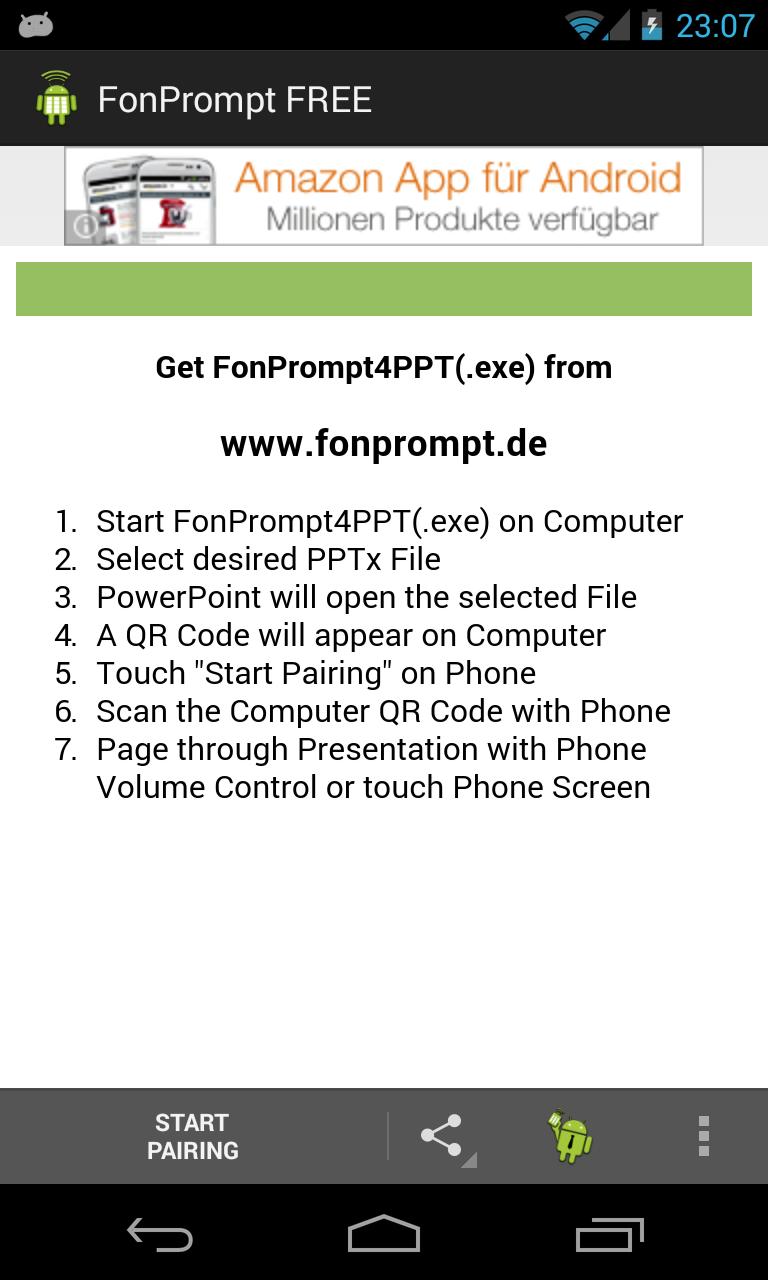
This App needs a Windows Software installed on a Windows Computer having PowerPoint installed. Download and install Fon Prompt4PPT from http://www.fonprompt.de
After Starting FonPrompt4PPT(.exe), select the Presentation and PowerPoint will start the Slideshow. A first Slide with a QR Code will appear.
Start the FonPrompt Android App. Touch the "Start Pairing" Button and scan the QR Code using the FonPrompt App.
After Pairing your Phone with the Presentation, the Titles of the Slides are shown in a List. Page through your Presentation with Phone Volume Control or touch the Slide Titles on the Phone Screen.
This Version of FonPrompt is a trial version. Please upgrade to FonPrompt PRO after two weeks.
Credit:
This Software uses Code from the ZXing (Zebra Crossing) Project. ZXing is a great QR Code Library, published under the Apache 2.0 License.
ZXing Website: http://code.google.com/p/zxing/
Apache 2.0 License: http://www.apache.org/licenses/LICENSE-2.0
Windows, Office and PowerPoint are Products of Microsoft Corporation















 Download APK(482.81KB)